Featured Author

John Hayward
I am a Visiting Research Fellow in Mathematics at the University of South Wales. Before my retirement, I was a senior lecturer at the university, teaching specialist courses in system dynamics, mathematical modelling and agent-based methods. I was awarded a BSc in astrophysics, and a PhD in applied mathematics, from the University of London, and then spent my career as a lecturer in mathematics. My research is in mathematical sociology with applications to the spread of social phenomena, such as ... Read more
Welcome to the isee Exchange™!


The Exchange is a repository of content created by Stella® users around the world. Scroll down to see featured items, search for specific items in the field above, or check out some common topics:


Learn about Stella terminology:

Like what you see? Design your own simulation-based content with our free Stella Online™ software.

If you own our Stella® Architect software, you can download assemblies—self-contained models that can be used as parts of other models—right here on the Exchange. Go here to view our assembly directory, and here to learn how assemblies can speed up and improve your modeling process.


We found 27 items
Include in results:
#1

Dynamics of Non-Profit Workers’ Passion Burnout and Intention to Leave

© Jefferson Rajah 2021 Passionate workers join the non-profit sector only to experience a collapse i ... Read more
© Jefferson Rajah 2021 Passionate workers join the non-profit sector only to experience a collapse in their passion level as a result of organisational conditions, and thus shore up their intention to leave over time. The results from this model suggest that work overload and physical exhaustion affecting productivity, fall in professional efficacy, and negative affection from perceived organisational injustice drive the collapse in passion. Of these, role overload and high expectations of passionate employees was found to have the highest impact. Originally developed for the course GEO-SD304 and presented at the International System Dynamics Conference.
model1,615 downloads
Download Model
Business human behavior organizational psychosocial burnout
3628.53
#2

Intención de retiro

This model was copied from UiB MINDS: © Jefferson Rajah 2021 Passionate workers join the non-profit ... Read more
This model was copied from UiB MINDS: © Jefferson Rajah 2021 Passionate workers join the non-profit sector only to experience a collapse in their passion level as a result of organisational conditions, and thus shore up their intention to leave over time. The results from this model suggest that work overload and physical exhaustion affecting productivity, fall in professional efficacy, and negative affection from perceived organisational injustice drive the collapse in passion. Of these, role overload and high expectations of passionate employees was found to have the highest impact. Originally developed for the course GEO-SD304 and presented at the International System Dynamics Conference.
model10 downloads
Download Model
Business human behavior organizational psychosocial burnout
62.61
#3

Worker Burnout

This model was copied from Donald DeLand: Jack Homer, "Worker Burnout: A Dynamic Model with Implica ... Read more
This model was copied from Donald DeLand: Jack Homer, "Worker Burnout: A Dynamic Model with Implications for Prevention and Control" (1984), MIT D-3591.
model111 downloads
Download Model
36.51
#4

Worker Burnout (Jack Homer)

Jack Homer, "Worker Burnout: A Dynamic Model with Implications for Prevention and Control" (1984), M ... Read more
Jack Homer, "Worker Burnout: A Dynamic Model with Implications for Prevention and Control" (1984), MIT D-3591.
model79 downloads
Download Model
26.04
#5

Physician Burnout Model Fragment 29 June 2017 v7

model95 downloads
Download Model
Education
24.7
#6

BURNOUT

by SIYE
diagram70 downloads
Download Model
Business
18
#7
Based on the Buzzfeed article "How Millenials Became the Burnout Generation"
diagram67 downloads
Download Model
16.02
#8

Physician Burnout Model Exercise Soln A- 29 June 2017 v6

model59 downloads
Download Model
15.34
#9

Burnout

model58 downloads
Download Model
15.08
#10

Physician Burnout Model Exercise Soln A- 29 June 2017 v6

model57 downloads
Download Model
Education
14.82
#11

Burnout loop

model54 downloads
Download Model
Health
14.04
#12

burnout

by Ilya
model51 downloads
Download Model
13.26
#13

burnout2

by obiz
model51 downloads
Download Model
13.26
#14

Employee bunrout

Burnout
model49 downloads
Download Model
Health
13.14
#15

Employee burnout

model46 downloads
Download Model
Health
11.96
#16

Employee Burnout

model40 downloads
Download Model
10.4
#17

Burnout

model39 downloads
Download Model
10.14
#18

burnout

by obiz
model38 downloads
Download Model
9.88
#19

burnout 29 June 2017 v8

model38 downloads
Download Model
Education
9.88
#20

Bergen 1 - Worker burnout

model34 downloads
Download Model
8.84
#21
Burnout in work environments
diagram38 downloads
Download Model
6.08
#22

Employee Burnout

model21 downloads
Download Model
Education
5.46
#23

Work Burnout

diagram40 downloads
Download Model
5.2
#24

burnout

by obiz
diagram39 downloads
Download Model
4.94
#25

Burnout CLD - Untangling

diagram36 downloads
Download Model
4.16
#26

Employee Burnout

diagram35 downloads
Download Model
Education
3.9
#27

Burnout SA v 2.00

model
Download Model
Education
0
X

Uploading a Bundle from Zip

Instead of creating bundles, categories, and assemblies one by one, you can upload a single zip file that contains all of your bundle's content. To create your zipped bundle, make a folder with your bundle's name and add subfolders with your categories' names. The folder tree should have the same structure that you want the categories to have in your bundle. Place your assembly .stmx files in the appropriate category folders, then zip your bundle folder and upload it using the Upload Bundle from Zip link above.

Assemblies, Bundles, and Categories

Assemblies are self contained models that demonstrate common ways to connect together building blocks and that can be used as parts of other models. This is analogous to using prefabricated wall and roof pieces to construct a house.

Bundles are groups of assemblies with a common use or theme. For example, a Health Care bundle might contain a variety of assemblies that aid in creating health care models. When you download assemblies from the isee Exchange™, you download an entire bundle, rather than individual assemblies.

Categories are subgroups of assemblies within a bundle. For example, a Health Care bundle might contain a Funding category for assemblies related to the management of hospital funds. All assemblies must be assigned to a category—they cannot be assigned to the root of a bundle.

Assemblies, bundles, and categories can be created and uploaded to the isee Exchange™ via the options on the Manage My Assemblies page. To learn more, visit our help pages, or take our assemblies tutorial.

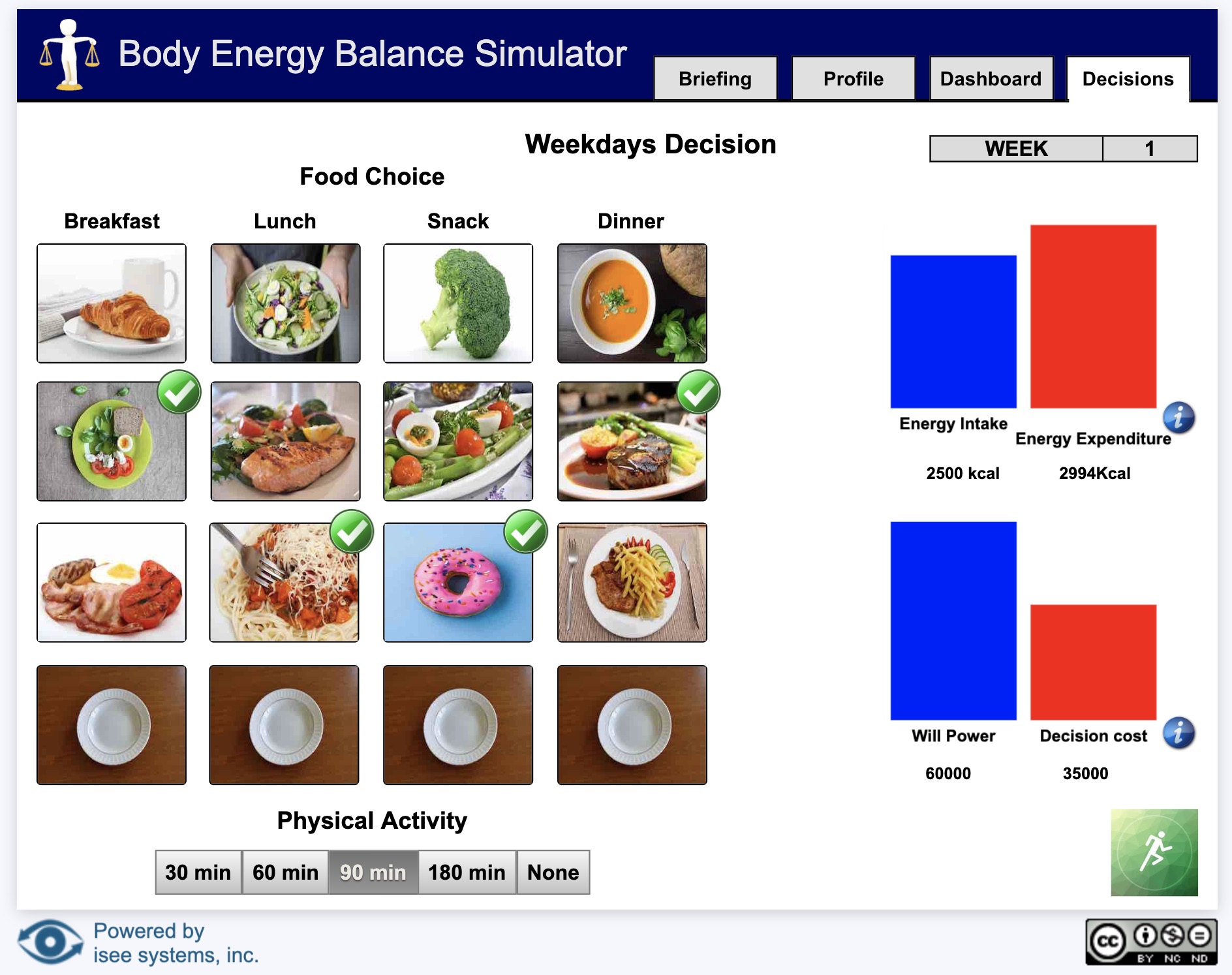
Sim App (Sim)

An interface that allows users to interact with a model.

Image of a sim

Sim apps allow users to interact with a model using buttons, sliders, knobs, tables, graphs, and storytelling. These interactions help users understand how parts of a system interact.

Interfaces are created by model authors in the Stella desktop software and can be uploaded to the isee Exchange™.

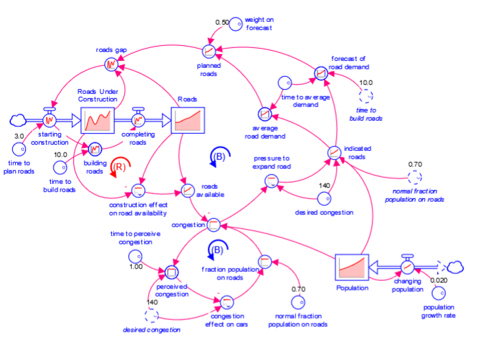
Model

A diagram that represents how elements in a system influence one another.

Image of a model

Models are mathematical representations of how elements in a system are connected and interact (e.g., ecosystems, organizations, supply chains). When running models on the isee Exchange™, results can be viewed in output devices like graphs and tables.

Models appear in the isee Exchange™ directory when authors upload them from the Stella® desktop software or create them with Stella Online™.

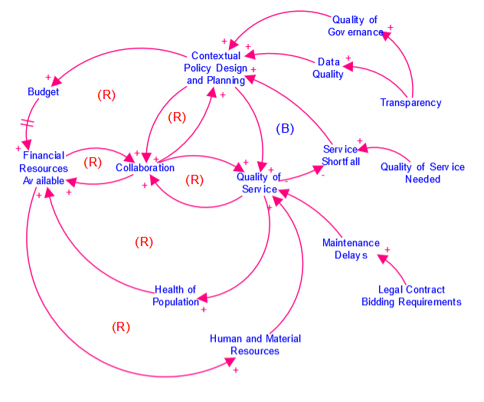
Causal Loop Diagram (CLD)

A map that represents the feedback structure of a system.

Image of a CLD

CLDs are high-level maps that represents the feedback structure of a system and easily communicate the essence of a model. They appear in the isee Exchange™ when authors upload them from the Stella desktop software or create them with Stella Online™.